E-Commerce Support AI Agent for Resistorings
Problem & Vision
Customer support is one of the most impactful applications of AI: high volume, repetitive queries, and clear success metrics make it an ideal candidate for automation.
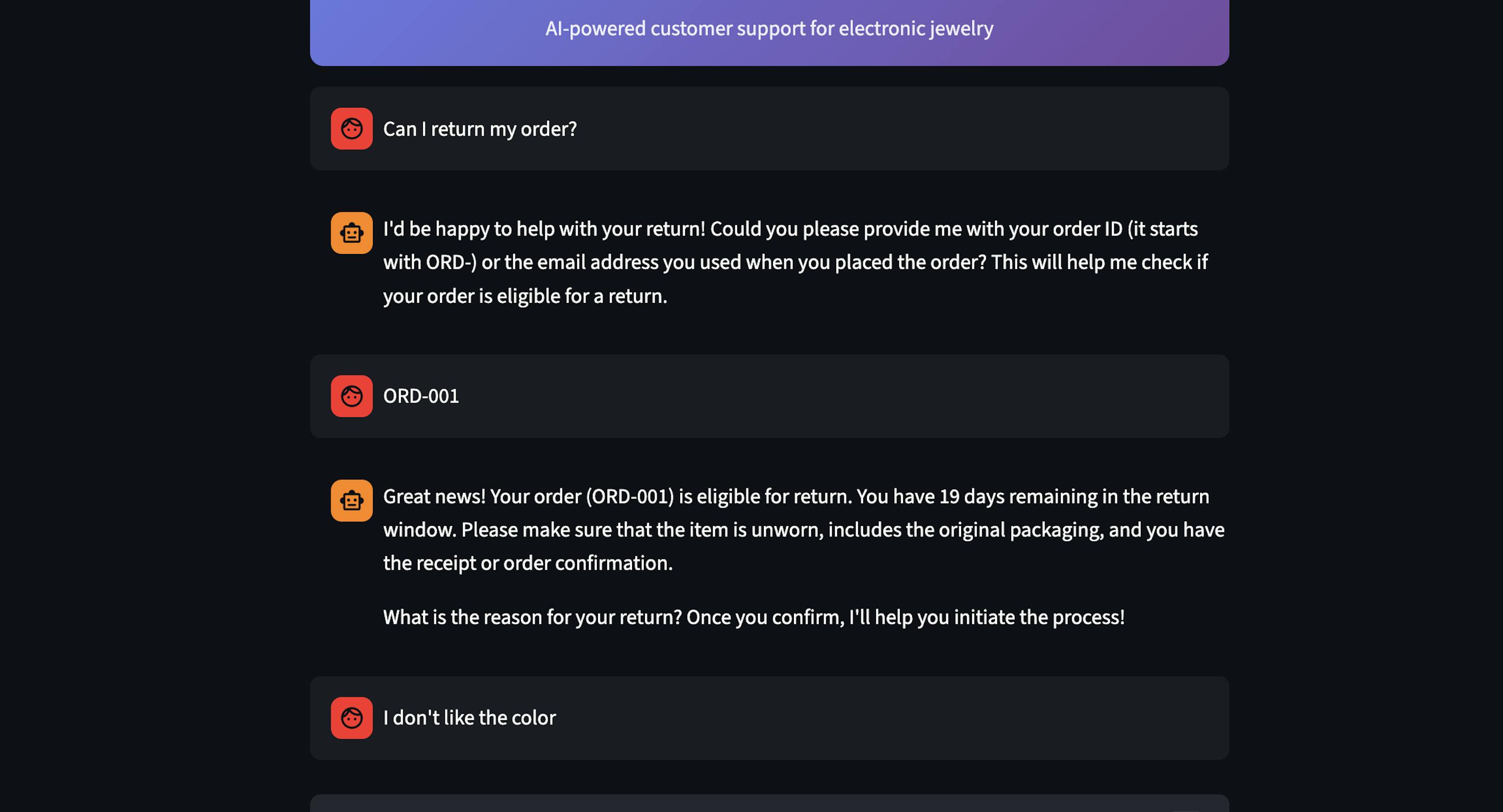
I wanted to understand the core primitives behind these products, so I built a Support AI agent using Cursor for my e-commerce business, Resistorings, to handle customer escalations.
Use Cases
I started by defining 4 core use-cases for the agent:
- FAQs: Answer questions about materials, pricing, brand story
- Order Tracking: Look up order status by order ID or email
- Returns: Check eligibility of returns based on 30-day policy window and delivery status
- Exchanges: Process product exchanges based on size and cost
- Product Info: Retrieve detailed product information from catalog
For each use case, the agent knows when to answer directly from its knowledge base (no API call needed) vs. when to fetch real data using tools. This was needed to reduce latency and cost.
Agent Architecture
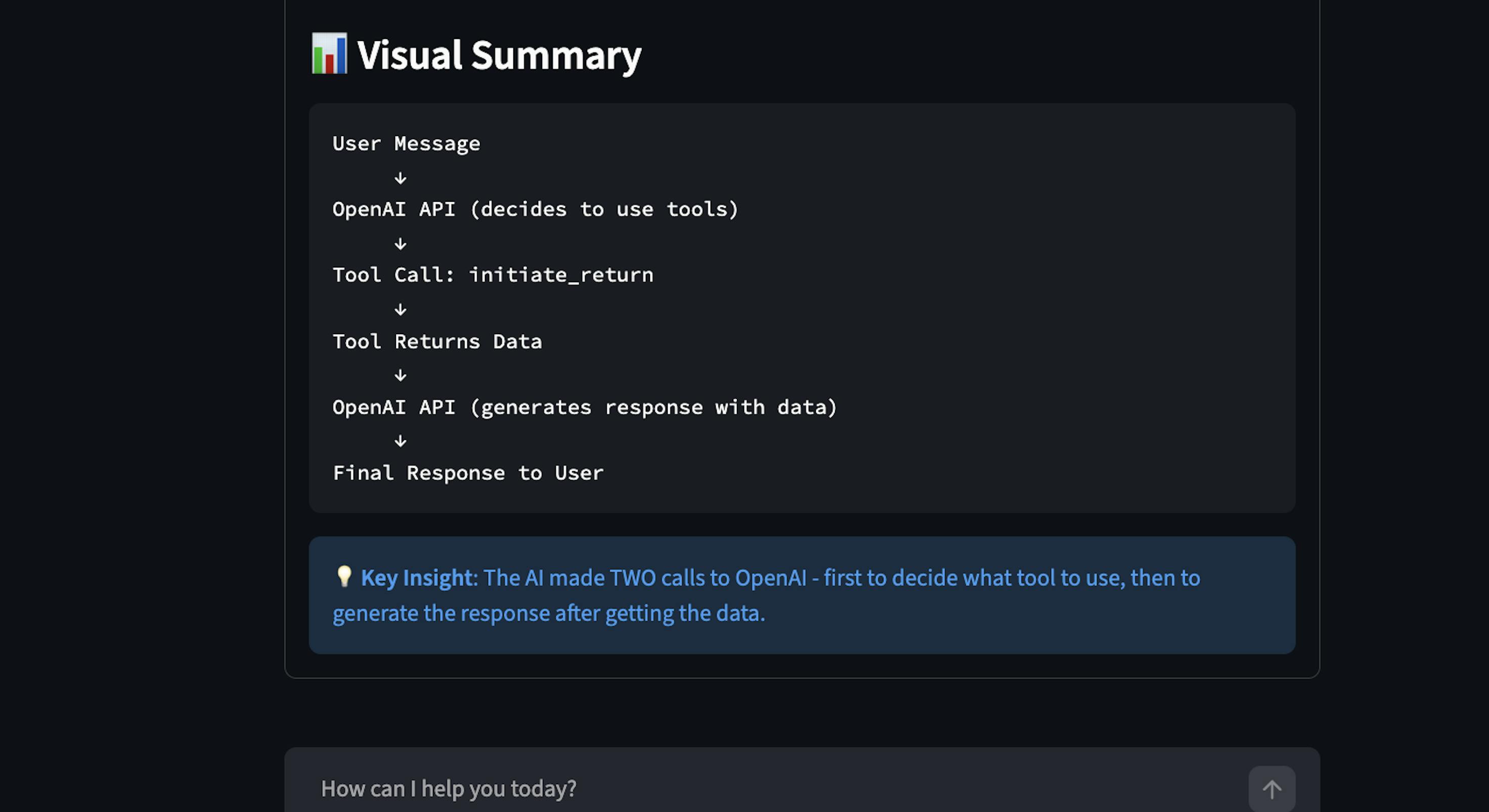
The core architecture follows the agent loop in which the LLM generates a response or triggers a tool call. When thinking about the broader system, I assessed the tradeoffs between a single agent vs. multi-agent architecture. I ultimately chose a single-agent architecture for the following reasons:
- Complexity: Single agents are simpler to build, debug, iterate
- Latency: Single agents often have 1-2 LLM calls per request
- Cost: Single agents have lower token usage
- Use Case: Scenarios were within bounded domains with clear tool definitions
As the agent grows in complexity, I can see s future state where I build specialized sub-agents for billing or technical support, which would require a multi-agent architecture.
Implementation & Tool System
The Support Agent is built in Python and uses GPT-4o-mini with function calling. I defined five core function/tools that map to each use case:
- lookup_order: finds order by ID or email
- check_return_eligibility: verify 30-day window, delivery status
- initiate_return: start return process
- initiate_exchange: process size/product exchanges
- get_product_info: retrieve product details
When defining the tools, I had to set a clear description so the LLM knows when to use it, define parameters, and add business logic around policies. In production, these would call Shopify, Stripe, and internal APIs.
Evaluations
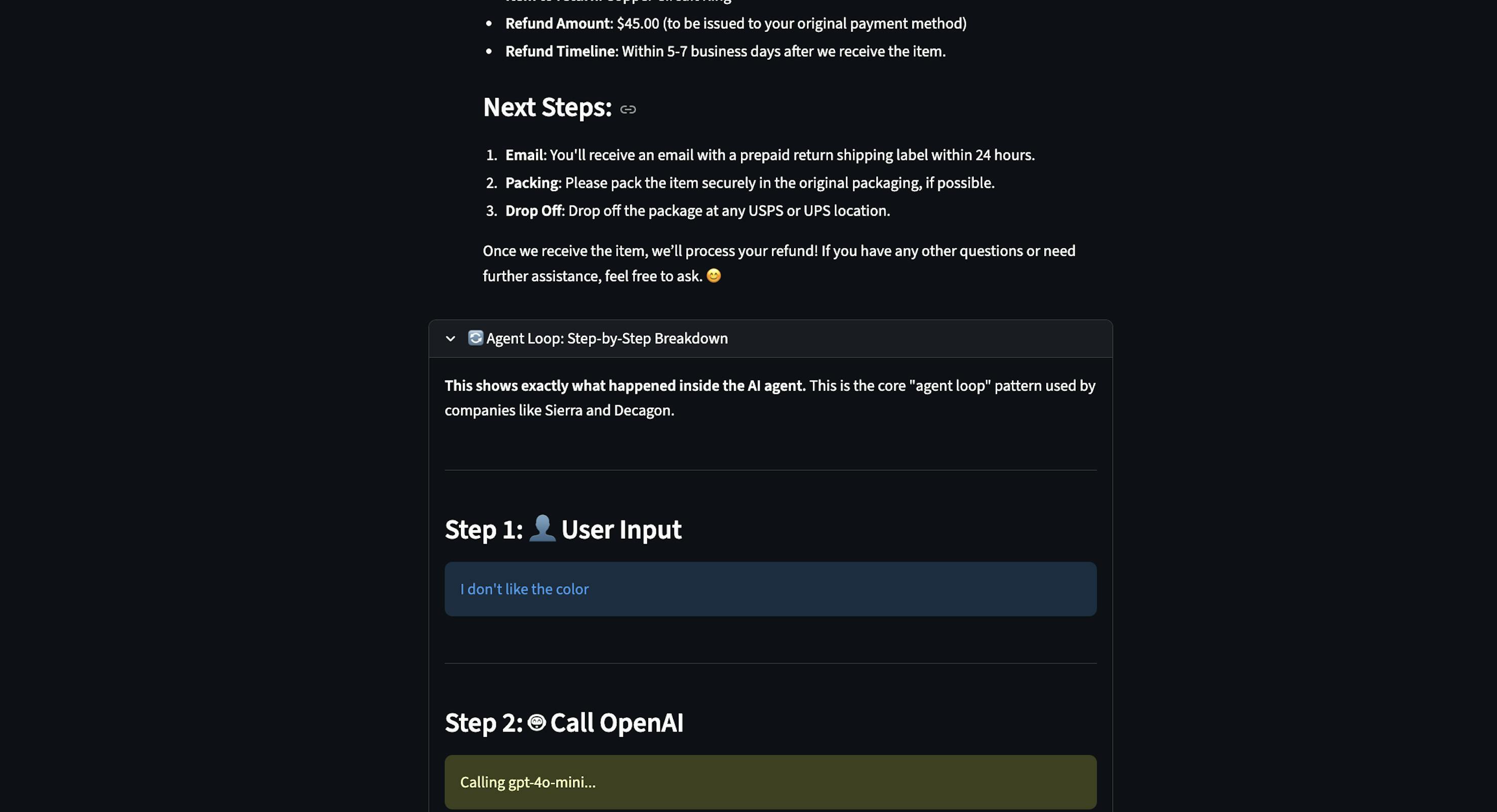
As a starting point with evaluations, I added a feature to trace each step the agent takes. This was especially helpful for observability to understand what tools were triggered. There is still more work to be done around robust offline evaluations before deploying the agent to production.
Key Learnings
- The prompt was the product spec: The requirements, knowledge boundaries, and decision-making logic were all in the system prompt. When I needed to change the agent's behavior, I updated the prompt.
- Visually representing the agent's behavior improved observability: Building a step by step agent loop visualization wasn't just for debugging; it changes how I understood what the model was doing. Being able to see "Model decided to call lookup_order → Tool returned order data → Model generated response" made the system trustworthy and debuggable.
This website is open-source on GitHub